[A101 Study 2주차] Ansible 조건문
CloudNet@ 팀의 가시다님께서 Leading 하시는 A101 Study 2주차 스터디 내용 정리
해당 스터디는 '앤서블로 시작하는 인프라 자동화' 책을 기반으로 진행하였습니다.
실습 환경은 저번주와 마찬가지로 'Control Node 1 대 + Target Node 3대' 로 구성하였습니다.
앤서블은 조건문을 사용해 특정 조건이 충족될 때 작업 또는 플레이북을 실행할 수 있습니다.
이를 통해 플레이북 작성의 확장성을 높일 수 있습니다.
1. Ansible 조건문
앤서블에서 조건문은 'when' 을 통해 작성할 수 있습니다.
조건이 충족되면 해당 작업(TASK) 가 실행되고, 충족되지 않으면 작업(TASK) 을 건너뜁니다.
1.1. 조건 작업 구문
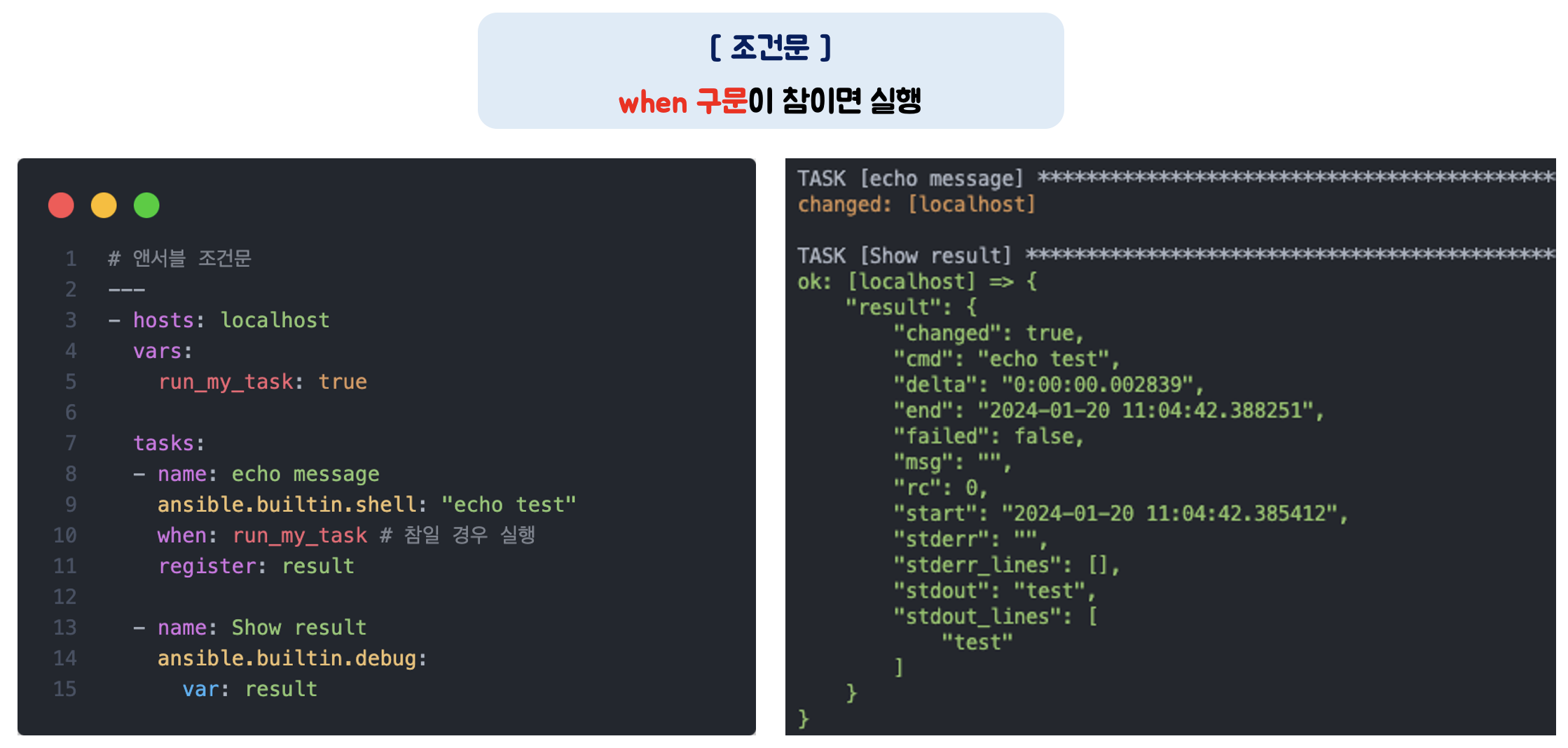
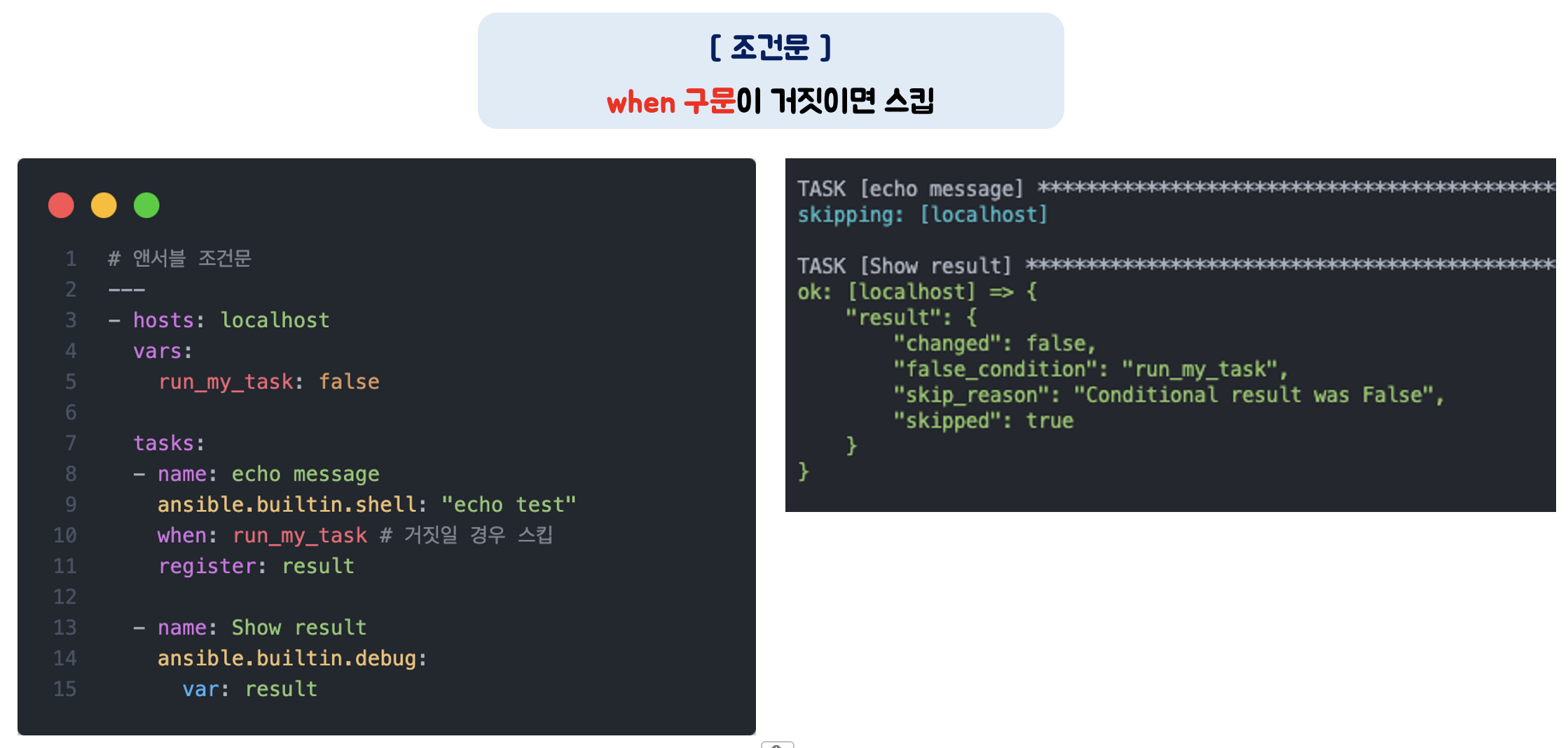
Boolean 변수를 활용하여 간단한 조건문을 실행해보겠습니다.
'run_my_task' 변수값을 true/false 로 변경하면서 조건문을 테스트해보겠습니다.
---
- hosts: localhost
  vars:
    run_my_task: true

  tasks:
  - name: echo message
    ansible.builtin.shell: "echo test"
    when: run_my_task
    register: result

  - name: Show result
    ansible.builtin.debug:
      var: result
1.2. 조건 연산자
when 문에는 bool 변수 외에 조건 연산자를 사용할 수 있습니다.
조건 연산자 종류
| 조건 연산자 | 설명 |
| != | 값이 같지 않을 때 참 (true) |
| >, >=, <=, < | '초과', '이상', '이하', '미만' 일 때에 참 (true) |
| not | 조건의 부정 |
| and, or | '그리고', '또는' 의 의미, 조건의 조합 가능 |
| in | 값이 포함된 경우 참 (true), 예를 들어 2 in "1,2,3" 은 참 (true) |
| is defined | 변수가 정의된 경우 참 (true) |
조건 연산자를 통한 연산 예시
| 연산 예시 | 설명 |
| ansible_facts[’machine’] == “x86_64” | ansible_facts[’machine’] 값이 x86_64 와 같으면 true |
| max_memory == 512 | max_memory 값이 512와 같다면 true |
| min_memory < 128 | min_memory 값이 128보다 작으면 true |
| min_memory > 256 | min_memory 값이 256보다 크면 true |
| min_memory <= 256 | min_memory 값이 256보다 작거나 같으면 true |
| min_memory >= 512 | min_memory 값이 512보다 크거나 같으면 true |
| min_memory != 512 | min_memory 값이 512와 같지 않으면 true |
| min_memory is defined | min_memory 라는 변수가 있으면 true |
| min_memory is not defined | min_memory 라는 변수가 없으면 true |
| memory_available | memory 값이 true 면 true, 이때 해당 값이 1 이거나 True 또는 yes 면 true |
| not memory_available | memory 값이 false 면 true, 이때 해당 값이 0 이거나 False 또는 no 면 true |
| ansible_facts[’distribution’] in supported_distros | ansible_facts[’distribution’] 의 값이 supported_distros 라는 변수에 있으면 true |
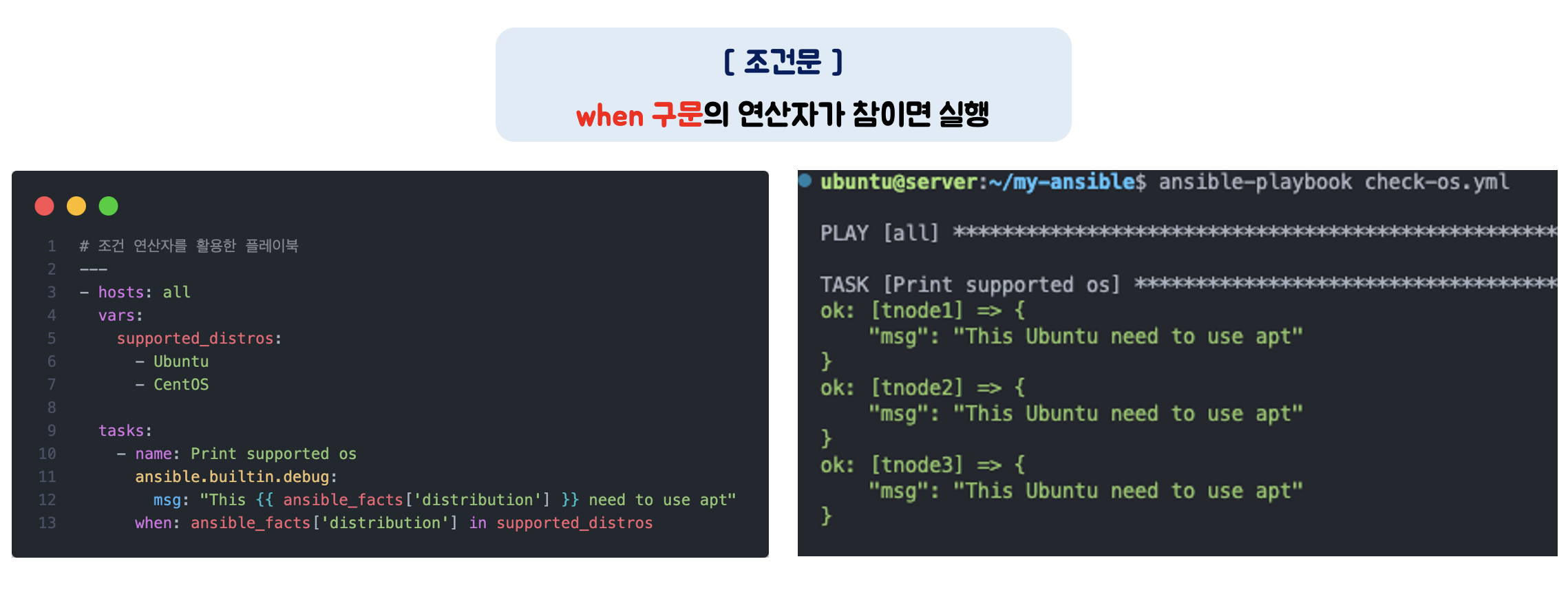
조건 연산자를 사용한 플레이북 예시
대상 노드의 OS 가 'Ubuntu' 혹은 'CentOS' 일 경우, OS 를 출력하는 플레이북입니다.
---
- hosts: all
  vars:
    supported_distros:
      - Ubuntu
      - CentOS

  tasks:
    - name: Print supported os
      ansible.builtin.debug:
        msg: "This {{ ansible_facts['distribution'] }} need to use apt"
      when: ansible_facts['distribution'] in supported_distros
1.3. 복수 조건문
조건을 여러 개 설정하여 더욱 정교한 플레이북을 작성할 수도 있습니다.
복수 조건문 플레이북
- 'or' 연산자를 사용하여 OS 가 CentOS 이거나 Ubuntu 인 경우에만 메시지를 출력합니다.
---
- hosts: all

  tasks:
    - name: Print os type
      ansible.builtin.debug:
        msg: "OS Type {{ ansible_facts['distribution'] }}"
      when: ansible_facts['distribution'] == "CentOS" or ansible_facts['distribution'] == "Ubuntu"
1.4. 반복문과 조건문 함께 사용
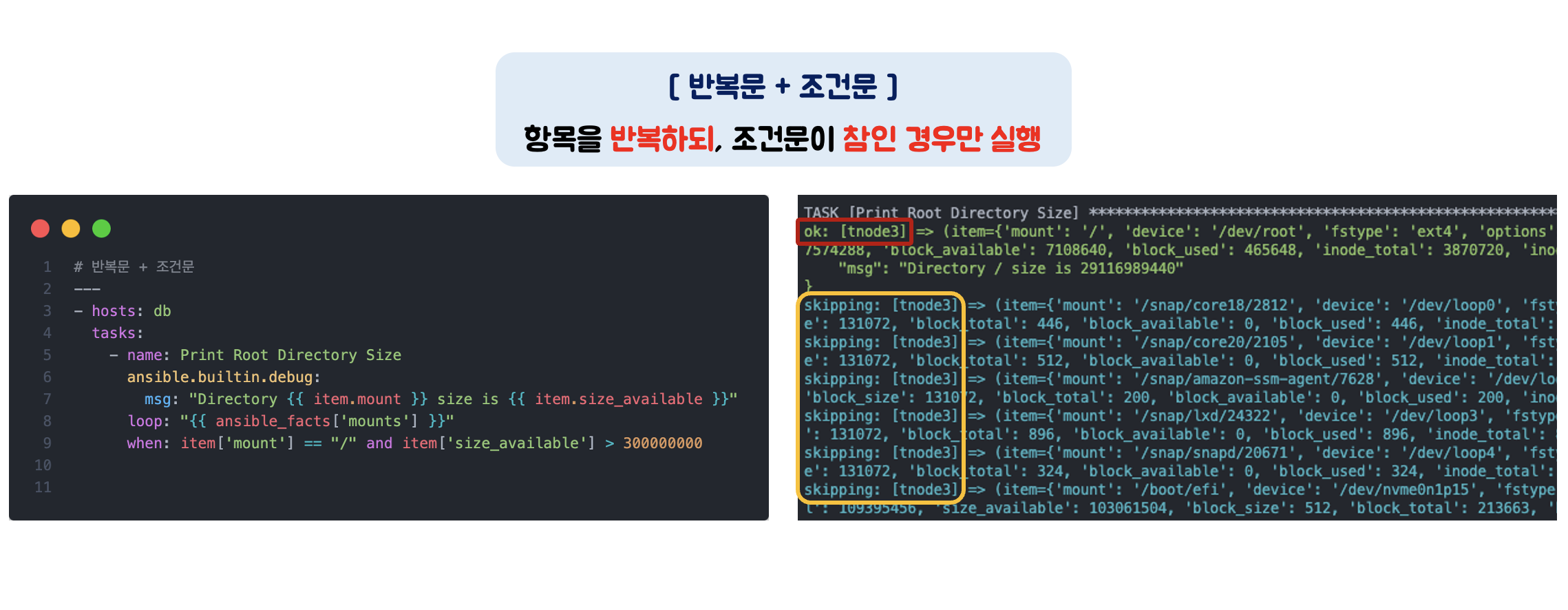
조건문이 통과된 경우 반복문을 실행하도록 구성할 수도 있습니다.
반복문과 조건문을 함께 사용한 플레이북
수집된 팩트에서 mount 항목을 반복하되,
mount 디렉토리가 '/' 이면서 볼륨 사이즈가 300MB 이상인 경우만 메시지를 출력
---
- hosts: db
  tasks:
    - name: Print Root Directory Size
      ansible.builtin.debug:
        msg: "Directory {{ item.mount }} size is {{ item.size_available }}"
      loop: "{{ ansible_facts['mounts'] }}"
      when: item['mount'] == "/" and item['size_available'] > 300000000
2. 조건문 도전 과제
앞에서 배운 조건문을 활용해서 주어진 플레이북을 구현해보겠습니다.
2.1. Ubuntu OS 이면서 hostname 이 tnode1 인 경우, debug 모듈을 사용하여 OS 정보와 fqdn 정보를 출력
- 복수 조건문을 사용하는 과제입니다.
---
- hosts: all
  vars:
    supported_distros: "Ubuntu"
    supported_hostname: "tnode1"

  tasks:
    - name: Print supported os
      ansible.builtin.debug:
        msg: >-
          fqdn : {{ ansible_facts['fqdn'] }}
          os : {{ ansible_facts['distribution'] }}
      when:
        - ansible_facts['hostname'] == supported_hostname
        - ansible_facts['distribution'] == supported_distros

스터디가 진행될수록 앤서블이 복잡해지는 것 같습니다.
작성된 플레이북을 읽고 분석하는 것과 실제로 사용하고자 하는 플레이북을 새로 작성하는 것은 별개인 것 같습니다.
점점 어려워 지네요. ㅜㅜ
참고 문서
- Ansible Conditionals
https://docs.ansible.com/ansible/latest/playbook_guide/playbooks_conditionals.html